
SSL stands for Secure Sockets Layer. It is a standard technology for establishing a secure and encrypted link between a web server and a web browser. SSL ensures that the data transmitted between the web server and the browser remains private and secure.
SSL operates by using a cryptographic system that uses two keys to encrypt data: a public key and a private key. The public key is used to encrypt information, and the private key is used to decrypt it. Implementing SSL is essential to boost site security and performance.
When a user connects to a website secured with SSL, the server provides its public key, and the browser uses it to encrypt data before sending it to the server. Only the server, which holds the corresponding private key, can decrypt and access the transmitted information.
Table of Contents
What Is SSL?
Secure Sockets Layer is an internet security protocol used to secure communication between internet users and web servers. However, the SSL protocol is currently deprecated.
Transport Layer Security (TLS) is SSL’s successor. TLS was developed by the Internet Engineering Task Force (IETF) and is the correct term that people should start using.
HTTPS is a secure version of HTTP. Websites that install and configure an SSL certificate can run on HTTPS to establish a secure connection with a web server.
How Does an SSL Certificate Work?
Secure Sockets Layer certificates play a crucial role in establishing a secure and encrypted connection between a user’s web browser and a website’s server. The SSL certificate contains information about the website and its associated cryptographic keys, facilitating a secure communication channel.
Here’s a step-by-step explanation of how an SSL certificate works:
- Initiating the Connection (Handshake):
- When a user attempts to access a website secured with SSL/TLS (usually denoted by “https://”), the web server presents its SSL certificate during the initial phase of communication.
- This phase is known as the SSL handshake. The server provides the certificate to the client (user’s browser) to establish a secure connection.
- SSL Certificate Information:
- The SSL certificate includes several pieces of information:
- Public Key: This is a key used for encryption. It’s included in the SSL certificate and is used by the client to encrypt data before sending it to the server.
- Issuer Information: Details about the entity (Certificate Authority or CA) that issued the SSL certificate.
- Validity Period: The time frame during which the certificate is considered valid.
- Digital Signature: To ensure the integrity of the certificate and verify its authenticity.
- The SSL certificate includes several pieces of information:
- Public Key Encryption:
- The server’s public key is used by the client to encrypt data before transmitting it. This ensures that even if the data is intercepted, it remains unreadable without the corresponding private key.
- Server Authentication:
- The SSL certificate serves as a form of identification for the server. It provides assurance to the client that they are connecting to the legitimate website and not an imposter.
- The client’s browser checks the validity of the SSL certificate. It verifies the digital signature using the public key of the Certificate Authority that issued the certificate.
- Session Key Establishment:
- During the SSL handshake, a temporary session key is generated. This key is used exclusively for the duration of the user’s interaction with the website.
- The session key is often symmetrically encrypted using the server’s public key and sent back to the server. Only the server, with its corresponding private key, can decrypt this session key.
- Encrypted Data Transfer:
- With the session key established, the client and server use it to symmetrically encrypt and decrypt data during the rest of the session. This ensures the confidentiality and integrity of the data being exchanged.
- Continuous Monitoring:
- The SSL/TLS connection remains in place throughout the user’s interaction with the website. The SSL certificate and encrypted connection are continuously monitored to ensure security.
How Does Secure Sockets Layer Relate to HTTPS?
Secure Sockets Layer and HTTPS are closely related, and they work together to provide a secure and encrypted connection for data transfer over the internet.
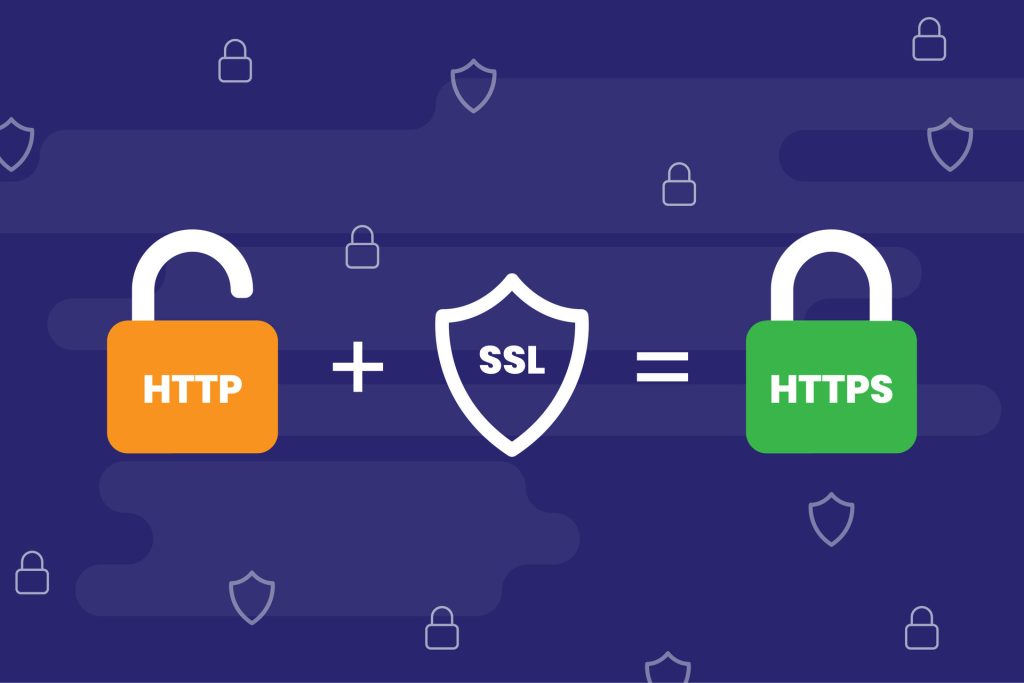
URLs are preceded by either HTTP (Hypertext Transfer Protocol) or HTTPS (Hypertext Transfer Protocol Secure). These protocols effectively determine how data you send and receive is transmitted.
Websites with no Secure Sockets Layer certificate will run on HTTP and transfer data in plain text, meaning anyone on the internet can intercept and retrieve the message.
This can cause problems if the transmitted data contain confidential information, which attackers can use to commit cybercrimes such as a data breach, cyber extortion, and identity theft.
When you set up an SSL certificate, you configure it to transmit encrypted data using HTTPS. The two technologies go hand in hand – you can’t use one without the other.
When and Why Is SSL a Must?
SSL is considered a must for several reasons, and its usage has become increasingly important for websites. SSL is a must for websites handling sensitive information such as usernames, passwords, or credit card numbers.
SSL encryption ensures that only one person – the intended receiver – can decrypt the transferred data.
Some additional SSL benefits for your website include:
- Authentication. Any website can pretend to be yours in an attempt to intercept the information that people transmit along the way. SSL enables you to prove your site’s identity.
- Data integrity. SSL ensures the transferred data hasn’t been compromised or modified while in transit.
- Trust building. Using an SSL certificate is a way of showing visitors that they can trust your site, especially if you run an eCommerce site dealing with online transactions.
- PCI compliance. If your site handles online payments, you must comply with the Payment Card Industry (PCI) guidelines, which include having an SSL certificate.
Does SSL Impact SEO?
Google has stated that sites with an SSL certificate outrank those without it when all other ranking factors are equal.
While SSL currently carries less impact than other elements, such as high-quality content, the search engine is pushing to make HTTPS the standard for all websites.
As around 99% of browsing time on Google Chrome is spent on HTTPS sites, having an SSL certificate can make the difference between someone buying from you or clicking away.
While setting up an SSL certificate will affect your website’s search engine performance, that’s not why you should use it. Instead, set up an SSL certificate to establish trust amongst your visitors and take the SEO boost as a bonus.
Different Types of SSL Certificates
There are various types of SSL certificates based on the number of domains:
- Single-domain SSL certificates. This type of certificate only protects one domain and can’t be used for its subdomains.
- Wildcard SSL certificates. It secures a domain and all its subdomains.
- Multi-domain SSL certificates (MDC). This certificate protects multiple domain names and their subdomains.
- Unified communications certificates (UCC). A UCC is a type of multi-domain certificate specifically designed for sites hosted on Microsoft Exchange and Live Communications servers.
There are also different types of SSL certificates based on their authentication levels, such as:
- Domain Validation (DV SSL). Domain-validated certificates are the most cost-effective. To obtain it, website owners only need to prove their domain ownership.
- Organization Validation (OV SSL). Organization-validated certificates provide a higher level of validation since only legitimate businesses and organizations can use them.
- Extended Validation (EV SSL). Extended Validation certificates offer the highest level of validation and are the most expensive among the three.
How to Add SSL to Your Website
let’s find out how to install it on your website. While there are various ways to install an SSL certificate, the steps generally involve:
- Choosing a trusted certificate authority. Choose a reliable and trustworthy SSL provider, such as Let’s Encrypt, DigiCert, or Comodo.
- Generating a certificate signing request (CSR). Generate CSR using Microsoft Internet Information Services (IIS), Apache, or cPanel. This file contains your public key, domain name, and organization data.
- Uploading the CSR. After that, upload your CSR file to the selected certificate authority, which will conduct a background check and issue a signed certificate.
- Installing the certificate. Usually, you’ll receive the signed certificate via email. Download and install the certificate on your website’s server.
- Forcing HTTPS. Once your certificate is ready, you can force HTTPS by pasting a code snippet to your .htaccess file.
Alternatively, you can get SSL certificates from your hosting provider. If you use Joomlawebhosting, you’ll get a free certificate with your shared, or Reseller hosting.
Conclusion
Secure Sockets Layer (SSL) is a protocol that creates secure connections between a client and a web server. It encrypts all data transfers so third parties can’t steal sensitive information such as login credentials and credit card numbers.
Installing an SSL certificate improves your website security and search engine optimization, which can help your site outrank a competitor.
In this article, we’ve covered what is SSL, how SSL certificates work, and how to install one on your website. If you have more questions, don’t hesitate to leave a comment below. Good luck.