
The security and safety of a website secure and safe depend on various factors, including how the website is designed, maintained, and managed.
Not all websites are secure and safe.
While WordPress hosting can provide a robust and flexible platform for website creation and management, not all websites hosted on WordPress are inherently secure and safe.
The security and safety of a WordPress site depend on various factors, including the setup, maintenance, and management practices employed by the site owner or administrator
Table of Contents
Factors Influencing Security on WordPress Sites
Security on WordPress sites can be influenced by various factors, ranging from technical configurations to user behaviors. Here’s a comprehensive look at the key factors:
1. WordPress Core Updates
- Regular Updates: Keeping the WordPress core updated ensures that the site benefits from the latest security patches and enhancements.
- Automatic Updates: Enabling automatic updates can help maintain security without manual intervention.
2. Themes and Plugins
- Trusted Sources: Using themes and plugins from reputable sources like the official WordPress repository or well-known developers reduces the risk of malicious code.
- Regular Updates: Ensuring that themes and plugins are regularly updated helps protect against vulnerabilities that are frequently discovered and patched.
- Active Monitoring: Regularly reviewing and removing unused or outdated themes and plugins minimizes potential security risks.
3. User Authentication and Roles
- Strong Passwords: Enforcing the use of strong, unique passwords for all user accounts enhances security.
- Two-Factor Authentication (2FA): Implementing 2FA adds an additional layer of security beyond just passwords.
- User Roles and Permissions: Properly assigning user roles and permissions ensures that users have the minimum level of access necessary, reducing the risk of accidental or malicious actions.
4. Hosting Environment
- Secure Hosting: Choosing a hosting provider that prioritizes security, with features like server-side firewalls, malware scanning, and regular backups.
- Server Configuration: Properly configuring the server to restrict access to sensitive files and directories, and ensuring it runs the latest software versions.
5. Security Plugins
- Firewall Plugins: Plugins like Wordfence or Sucuri provide a web application firewall (WAF) to block malicious traffic.
- Malware Scanning: Regular scans for malware can detect and remove malicious code from the site.
- Login Protection: Plugins that limit login attempts and provide login activity logs help prevent brute force attacks.
6. HTTPS/SSL
- SSL Certificates: Using HTTPS with a valid SSL certificate ensures that data transmitted between the user and the site is encrypted, protecting against man-in-the-middle attacks.
7. Database Security
- Database Prefix: Changing the default database table prefix (usually
wp_) can make it harder for attackers to execute SQL injection attacks. - Secure Database Access: Restricting database access and using strong database user credentials can prevent unauthorized access.
Factors Affecting Website Security and Safety
- HTTPS vs. HTTP:
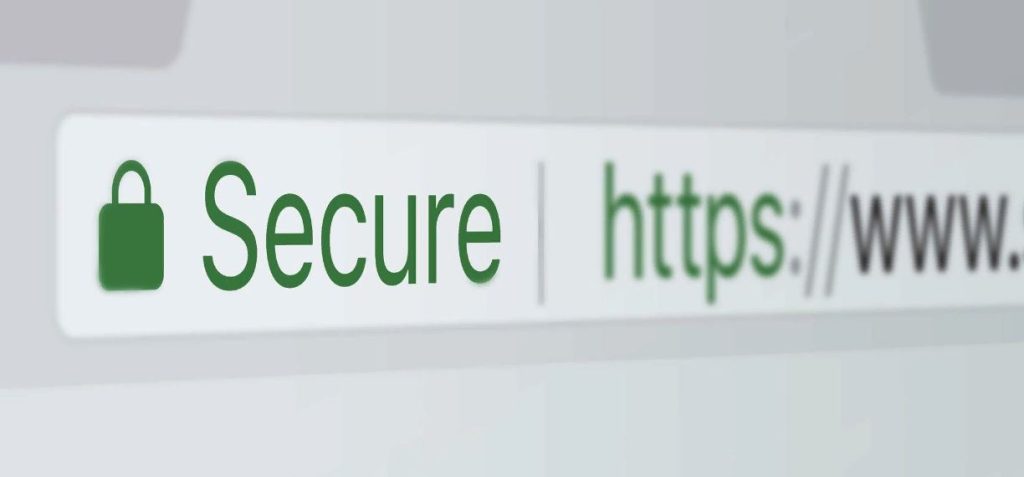
- HTTPS: Websites using HTTPS (HyperText Transfer Protocol Secure) encrypt data exchanged between the user and the site, making it more difficult for attackers to intercept or tamper with the information.
- HTTP: Websites using HTTP do not encrypt data, making it easier for attackers to access sensitive information.
- Reputable Hosting and Maintenance:
- Websites hosted on reputable servers with regular maintenance and updates are generally more secure. Regular updates ensure that any known vulnerabilities are patched.
- Website Content:
- Legitimate content from trustworthy sources is less likely to pose security risks. However, websites with pirated software, illegal content, or too-good-to-be-true offers are often unsafe and may contain malware or phishing attempts.
- Security Features:
- Features such as secure login mechanisms, strong password policies, two-factor authentication, and regular security audits contribute to a website’s security.
- User Data Protection:
- Websites that prioritize user data protection by adhering to privacy laws (like GDPR) and employing robust data encryption methods are safer for users.
- Known Vulnerabilities:
- Websites with known vulnerabilities that are not addressed can be exploited by attackers. This includes SQL injection, cross-site scripting (XSS), and other common security flaws.
How to Identify Secure and Safe Websites
- Check for HTTPS:
- Look for “https://” at the beginning of the URL and a padlock icon in the address bar.
- Verify the Site’s Certificate:
- Click on the padlock icon to view the website’s security certificate and ensure it is valid and issued by a trusted certificate authority.
- Check for Security Seals:
- Some websites display secure and safe seals from trusted organizations (like Norton Secured, McAfee Secure). Click on these seals to verify their authenticity.
- Read Privacy Policies:
- Trustworthy websites have clear and accessible privacy policies detailing how user data is collected, used, and protected.
- Look for Contact Information:
- Legitimate websites often provide clear contact information, including physical addresses and customer service numbers.
Common Threats from Unsecure Websites
- Phishing Attacks:
- Fraudulent websites designed to steal personal information by mimicking legitimate sites.
- Malware Distribution:
- Some websites host or distribute malware, which can infect your computer when you visit or download content from the site.
- Data Breaches:
- Unsecure websites are more susceptible to hacking, which can result in data breaches exposing user information.
- Man-in-the-Middle Attacks:
- On HTTP sites, attackers can intercept and alter communications between the user and the website.
Conclusion
In conclusion, the Secure and Safe websites are critical aspects that impact users’ personal information, financial data, and overall cybersecurity. Secure and Safe websites can be identified through indicators such as HTTPS encryption, updated software, clear privacy policies, and reputable security certifications. Conversely, unsecure websites pose numerous threats, including malware, phishing, man-in-the-middle attacks, SQL injections, and credential theft.
To protect against these threats, it’s essential for website administrators to implement robust security measures, including regular updates, strong authentication methods, secure hosting environments, and comprehensive monitoring. For users, vigilance in recognizing secure sites, using security tools, and being aware of common threats can significantly reduce the risk of encountering malicious websites.