
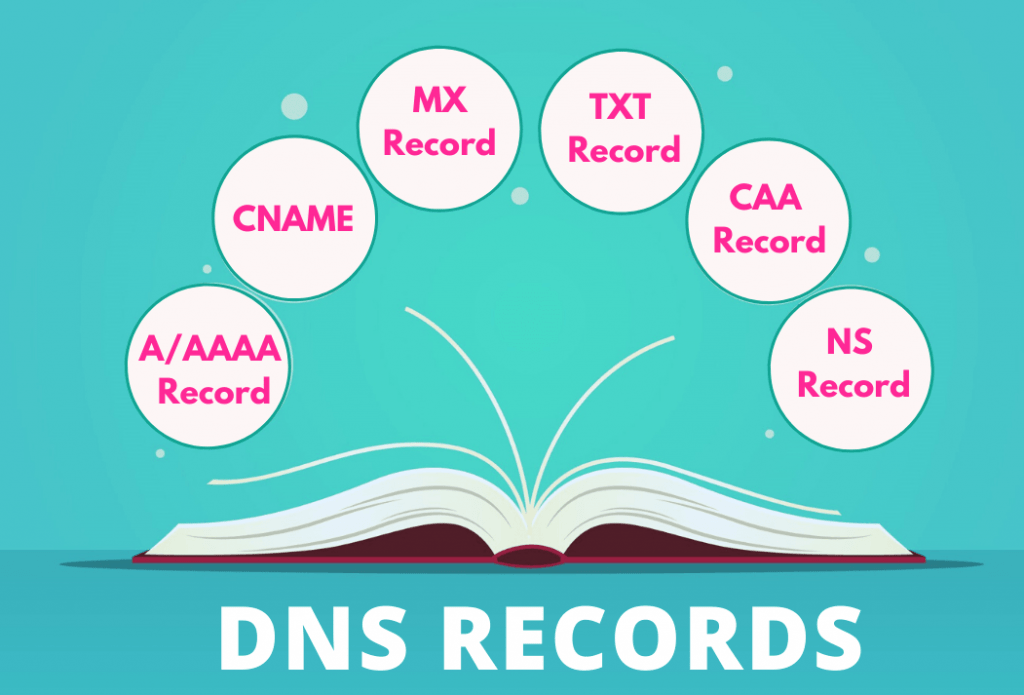
Domain Name System Records (DNS Records) is a crucial component of the internet that translates human-readable domain names into IP addresses, allowing computers to locate and connect with each other.
DNS records are key elements within the DNS system, providing various types of information about a domain. Each DNS record type serves a specific purpose in managing and directing internet traffic.
DNS record types, each serving a specific role in the DNS infrastructure. Understanding and managing these records are essential for maintaining a stable and secure internet presence.
Table of Contents
What Are DNS Records?
DNS records are essential components of the Domain Name System (DNS), a hierarchical and distributed naming system for computers, services, or other resources connected to the Internet or a private network. DNS records contain information that helps translate human-readable domain names into machine-readable IP addresses, facilitating the efficient routing of internet traffic.
Each DNS record type serves a specific purpose and provides different kinds of information. Here is some common DNS record Here are some common DNS record types and their general functions:
- A (Address) Record:
- Maps a domain name to an IPv4 address.
- AAAA (IPv6 Address) Record:
- Similar to A record but maps a domain name to an IPv6 address.
- CNAME (Canonical Name) Record:
- Alias of one domain to another. Used for creating subdomains or pointing to different domains without changing the IP address.
- MX (Mail Exchange) Record:
- Specifies mail servers responsible for receiving email on behalf of the domain.
- TXT (Text) Record:
- Contains text information associated with the domain. Often used for verification purposes, such as SPF records.
- PTR (Pointer) Record:
- Used for reverse DNS lookups, mapping an IP address to a domain name.
- NS (Name Server) Record:
- Specifies authoritative DNS servers for the domain.
- SOA (Start of Authority) Record:
- Contains administrative information about the domain, including the primary DNS server, the email of the domain administrator, and timers.
DNS records are stored in DNS servers, and when a user or application makes a request for a domain, the DNS system looks up the corresponding records to determine the appropriate IP address or other information associated with that domain.
DNS play a crucial role in the proper functioning of the internet and are integral to tasks like website hosting, email delivery, and network management. Understanding how to manage and configure DNS records is essential for domain administrators and network professionals to ensure the reliable and secure operation of online services.
How Do They Work?
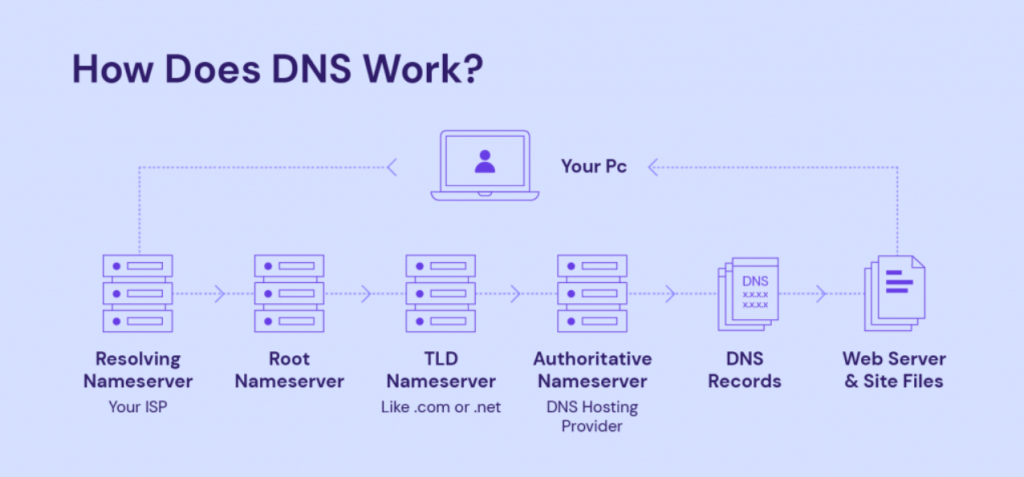
The Domain Name System (DNS) works through a distributed and hierarchical structure, and DNS records play a vital role in this process. Here’s a step-by-step explanation of how DNS records work:
- User Request:
- When a user types a domain name (like www.example.com) into a web browser or another application, the system initiates a DNS query to resolve that domain name to an IP address.
- Local DNS Resolver:
- The user’s device typically starts by checking its local DNS resolver, a component provided by the Internet Service Provider (ISP) or configured manually. If the resolver has the requested information in its cache (recently resolved), it provides the IP address directly.
- Recursive DNS Query:
- If the local resolver doesn’t have the information, it initiates a recursive DNS query. It starts by querying the root DNS servers.
- Root DNS Servers:
- The root DNS servers provide information about the Top-Level Domain (TLD) servers (.com, .org, .net, etc.).
- TLD DNS Servers:
- The recursive resolver then queries the TLD servers, which hold information about the specific domain extension (e.g., .com).
- Authoritative DNS Servers:
- The TLD servers direct the resolver to the authoritative DNS servers for the requested domain. These authoritative servers are responsible for storing the actual DNS records for the domain.
- DNS Records:
- The authoritative DNS servers return the requested DNS records, such as A records (IPv4 addresses), AAAA records (IPv6 addresses), MX records (mail servers), and others.
- Caching:
- The resolver caches the received DNS records for a specified time (Time-To-Live or TTL). This helps reduce the load on DNS servers and speeds up subsequent queries for the same domain.
- Response to User:
- The resolver provides the resolved IP address to the user’s device, allowing it to establish a connection with the desired web server or service.
It’s important to note that DNS records, such as A, CNAME, MX, etc., contain specific information about a domain, enabling the proper functioning of internet services. The distributed nature of the DNS system ensures scalability, redundancy, and efficient resolution of domain names to IP addresses globally.
Overall, DNS records are crucial for translating human-readable domain names into machine-readable IP addresses, facilitating the seamless communication of devices and services on the internet.
Common DNS Records
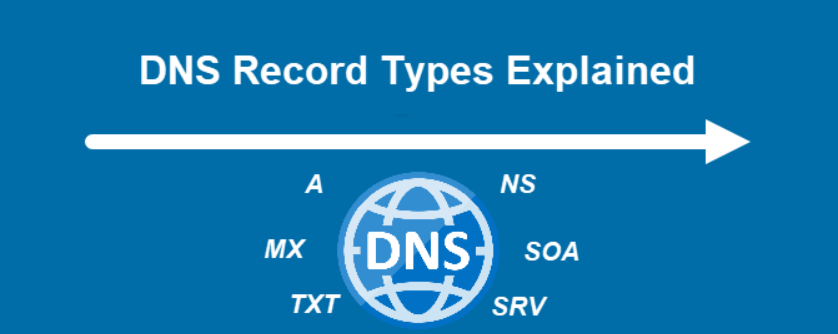
Several types of DNS records serve different purposes in managing and directing internet traffic. Here are some common DNS records along with their purposes:
- A (Address) Record:
- Purpose: Maps a domain name to an IPv4 address.
- Example:
example.com IN A 192.168.1.1
- AAAA (IPv6 Address) Record:
- Purpose: Similar to A record but maps a domain name to an IPv6 address.
- Example:
example.com IN AAAA 2001:0db8:85a3:0000:0000:8a2e:0370:7334
- CNAME (Canonical Name) Record:
- Purpose: Alias of one domain to another. Used to create subdomains or point to different domains without changing the IP address.
- Example:
www IN CNAME example.com
- MX (Mail Exchange) Record:
- Purpose: Specifies mail servers responsible for receiving email on behalf of the domain.
- Example:
example.com IN MX 10 mailserver.example.com
- TXT (Text) Record:
- Purpose: Contains text information associated with the domain. Often used for verification purposes, such as SPF (Sender Policy Framework) records.
- Example:
example.com IN TXT "v=spf1 include:_spf.example.com ~all"
- PTR (Pointer) Record:
- Purpose: Used for reverse DNS lookups, mapping an IP address to a domain name.
- Example:
1.1.168.192.in-addr.arpa IN PTR example.com
- NS (Name Server) Record:
- Purpose: Specifies authoritative DNS servers for the domain.
- Example:
example.com IN NS ns1.example.com
- SOA (Start of Authority) Record:
- Purpose: Contains administrative information about the domain, including the primary DNS server, the email of the domain administrator, domain serial number, and timers.
- Example:
example.com IN SOA ns1.example.com admin.example.com (2018010101 3h 1h 1w 1h)
- SRV (Service) Record:
- Purpose: Defines the location of servers for specified services, such as SIP or LDAP.
- Example:
_sip._tcp.example.com IN SRV 0 5 5060 sipserver.example.com
- CAA (Certification Authority Authorization) Record:
- Purpose: Specifies which Certificate Authorities (CAs) are allowed to issue certificates for a domain.
- Example:
example.com IN CAA 0 issue "letsencrypt.org"
These records collectively form the DNS infrastructure, providing the necessary information for domain resolution, email routing, and other crucial internet functions. Understanding and correctly configuring these records are essential for managing domain settings and ensuring the proper functioning of online services.
Conclusion
In conclusion, Domain Name System (DNS) records are fundamental elements of the internet infrastructure, facilitating the translation of human-readable domain names into machine-readable IP addresses. They play a crucial role in the proper functioning of online services, enabling efficient communication between devices and services across the internet.
In essence, DNS records form the backbone of the internet’s addressing system, enabling seamless communication and connectivity. A comprehensive understanding of DNS records empowers users and administrators to effectively manage domain settings and ensure the reliability and security of online services.