
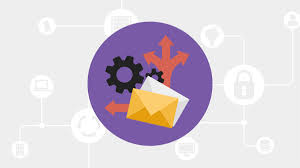
Email routing is crucial for several reasons, especially for organizations that rely heavily on email communications. Here’s why it’s important:
Table of Contents
What is Email Routing?
Email routing is the process of ensuring that the right messages get to the right recipients. It allows users to send different types of emails to separate accounts based on criteria such as the recipient’s address or department.
How does email routing work?
Email routing works by guiding an email from the sender to the recipient through a series of steps involving protocols, servers, and sometimes security filters.
Here’s a detailed explanation of how the process works:
1. Email Creation and Sending
- Sender creates an email using an email client (like Gmail, Outlook, or Thunderbird).
- The email client connects to an SMTP server (Simple Mail Transfer Protocol), which is responsible for sending the email to the intended destination.
2. DNS Lookup and MX Records
- The SMTP server contacts the Domain Name System (DNS) to find the MX (Mail Exchange) records of the recipient’s domain. MX records tell the server which mail server is responsible for handling emails for that domain.
- Example: If the email is sent to john@example.com, the SMTP server looks up the DNS for example.com to find out which mail server handles emails for that domain.
3. SMTP Handoff
- Once the sending server knows where to deliver the email, it forwards the email to the recipient’s mail server.
- The process may involve passing the email through multiple mail servers, called hops, depending on network conditions and server configurations.
4. Email Security and Filtering
- Spam filters, antivirus programs, and email security gateways inspect the email to ensure it is not spam, malware, or a phishing attempt.
- These systems can block suspicious emails or tag them for further review.
5. Recipient’s Mail Server
- Once the email passes through the necessary hops and security checks, it reaches the recipient’s mail server.
- The recipient’s mail server processes the email and checks if it’s meant for a specific user (e.g., john@example.com) and then stores it in the recipient’s inbox.
6. POP3/IMAP Retrieval by Recipient
- The recipient’s email client (Gmail, Outlook, etc.) fetches the email from the mail hosting server using protocols like POP3 (Post Office Protocol 3) or IMAP (Internet Message Access Protocol).
- IMAP allows the email to remain on the server while POP3 downloads it to the recipient’s device.
7. Internal Email Routing (Optional)
- For organizations or enterprises, internal routing may occur where emails are redirected to the correct department, team, or user.
- This routing is often controlled by email rules, such as forwarding emails sent to support@company.com to multiple support agents or teams.
8. Redundancy and Load Balancing
- In larger setups, multiple mail servers might be used to handle email traffic. Load balancing distributes incoming email across several servers to prevent any one server from being overwhelmed.
- If a server is down, failover systems can route emails to backup servers to ensure delivery continues uninterrupted.
Why is Email Routing Important?
1. Ensures Proper Delivery of Emails
- Email routing helps direct emails to the correct server or destination, ensuring that the intended recipient receives the message. Without proper routing, emails might get lost, delayed, or misdelivered.
2. Improves Efficiency
- By optimizing how emails are routed, organizations can reduce latency and improve the speed of email delivery. This is especially important for high-volume email systems or those with distributed teams across different locations.
3. Supports Multiple Domains
- Many organizations handle multiple domains, either for different departments, brands, or subsidiaries. Email routing allows you to manage these domains seamlessly, sending emails to the right inboxes regardless of which domain they’re addressed to.
4. Enhances Security
- Proper email routing often involves configuring secure protocols (e.g., SMTP, TLS) and verifying senders and recipients, reducing the risk of phishing, spoofing, or other malicious activities.
5. Enables Email Filtering and Forwarding
- Email routing can include rules for filtering or forwarding emails based on certain criteria (e.g., sender, recipient, keywords). This is essential for prioritizing important messages, archiving, or redirecting specific types of communications.
In summary, effective email routing ensures that emails are delivered efficiently, securely, and in compliance with organizational or legal requirements, while also improving the overall reliability of email communication systems.
What are Different Ways to Use Email Routing?
There are a variety of ways to use email routing. The below are just a few:
- Automate actions with triggers: Automatically sending certain messages to specific recipients based on predetermined conditions. This can save time by ensuring that important messages reach the right people at the right time without having to search through inboxes.
- Create custom filters: Creating customized filters for incoming mail so that only the emails that users want to see appear in their inboxes. This allows users to manage their mail load more effectively.
- Set up mailbox rules: To specify how incoming mail should be handled — e.g. filed away immediately, sent directly to another folder, or deleted completely.
- Configure server settings: Configure settings so that outgoing emails go through multiple services before reaching the final destination. This can help ensure that the message reaches its destination without errors or delays.
- Customer relationship management (CRM) segmentation: Use segmentation from CRM systems or customer data to create targeted marketing campaigns. Users can tailor email content to specific audience segments based on unique preferences and interaction history.