
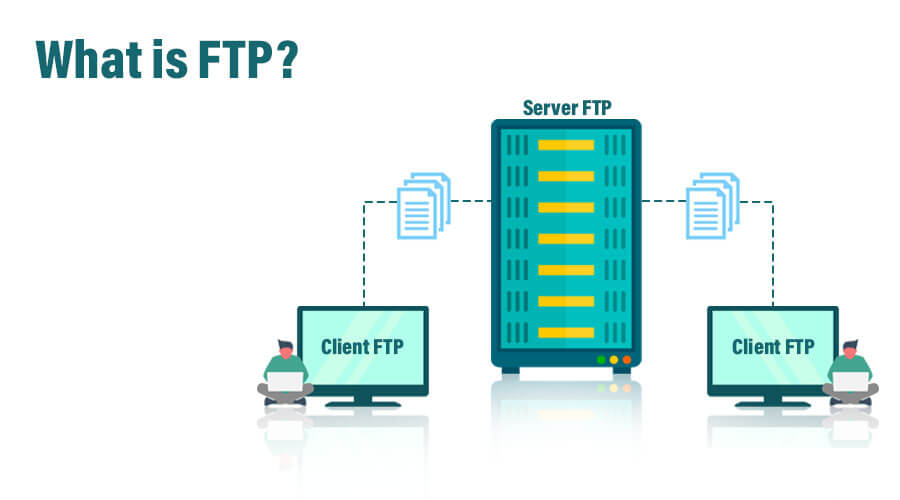
FTP (File Transfer Protocol) is a standard network protocol used to transfer files between a client and a VPS Server over the Internet or a local network. It is one of the oldest protocols in use for transferring files and is widely supported by various operating systems and network devices.
Table of Contents
How FTP Works
File Transfer Protocol operates using a client-server architecture. The client initiates a connection to the server, and once connected, the client can upload, download, rename, delete, or manage files on the server, depending on the permissions granted.
FTP uses two channels to communicate:
- Command Channel: Used for sending commands from the client to the server and receiving responses.
- Data Channel: Used for transferring the actual files between the client and the hosting server.
FTP typically uses two ports:
- Port 21: For the command channel.
- Port 20: For the data channel (in active mode).
Modes of File Transfer Protocol
- Active Mode:
- In active mode, the client opens a random port and informs the server about it. The server then connects to this port to initiate the data transfer. However, active mode can be problematic with firewalls because the server initiates the connection to the client, which may be blocked by the firewall.
- Passive Mode:
- In passive mode, the client opens a random port and asks the server to open a random port as well. The client then connects to the server’s port to transfer data. This mode is more firewall-friendly since the client initiates both connections.
Common Uses of File Transfer Protocol
- Website Management:
- Web developers and administrators often use FTP to upload and manage files on a web server, such as HTML files, images, and scripts.
- File Sharing:
- It is commonly used to share large files that are difficult to send via email. Users can upload files to an FTP server, and others can download them.
- Backup:
- It can be used to back up files from a local computer to a remote server. Many backup solutions support for storing backups off-site.
- File Distribution:
- Organizations often use file transfer protocol servers to distribute software updates, patches, or large datasets to multiple users.
Security Considerations
FTP by itself is not a secure protocol because it transmits data, including user credentials, in plain text. To address this, several secure versions are used:
- FTPS (File Transfer Protocol Secure):
- FTPS is an extension of file transfer protocol that adds support for the SSL/TLS encryption protocols, securing the data being transferred.
- SFTP (SSH File Transfer Protocol):
- Despite the name, SFTP is not a variant but rather a separate protocol that runs over the Secure Shell (SSH) protocol. It provides a secure way to transfer files with encryption and secure authentication.
- Secure File Transfer Protocol Clients:
- Modern FTP clients support secure connections and often include features like encrypted login credentials and data transfer.
File Transfer Protocol Clients and Servers
- File Transfer Protocol Client: Software used by the user to connect to an File Transfer Protocol server. Popular file transfer protocol clients include FileZilla, WinSCP, and Cyberduck.
- File Transfer Protocol Server: Software that allows a computer to act as an file transfer protocol host, receiving and managing connections from file transfer protocol clients. Examples include vsftpd, ProFTPD, and Microsoft’s IIS (Internet Information Services) with support.
Advantages of File Transfer Protocol
- Widely Supported:
- File Transfer Protocol is supported by almost all operating systems and network devices, making it a universal method for file transfer.
- Efficient for Large Files:
- File Transfer Protocol is optimized for transferring large files and can resume transfers if interrupted.
- Batch Transfers:
- It allows multiple files to be transferred at once, either by selecting them individually or transferring entire directories.
- Automation:
- It operations can be automated using scripts, which is useful for tasks like scheduled backups or batch file transfers.
Disadvantages of File Transfer Protocol
- Security Issues:
- Standard File Transfer Protocol does not encrypt data, making it vulnerable to eavesdropping and man-in-the-middle attacks.
- Complexity:
- Setting up and configuring server can be complex, especially when dealing with firewall configurations and secure connections.
- Not Optimal for Small Files:
- It can be overkill for transferring small files, where simpler methods like HTTP or cloud-based file sharing might be more appropriate.
Conclusion
FTP is a reliable and widely used protocol for transferring files over the Internet or a network. While it has security limitations in its standard form, secure versions like FTPS and SFTP address these concerns, making it a versatile tool for managing files in various scenarios, from web development to data backup.