
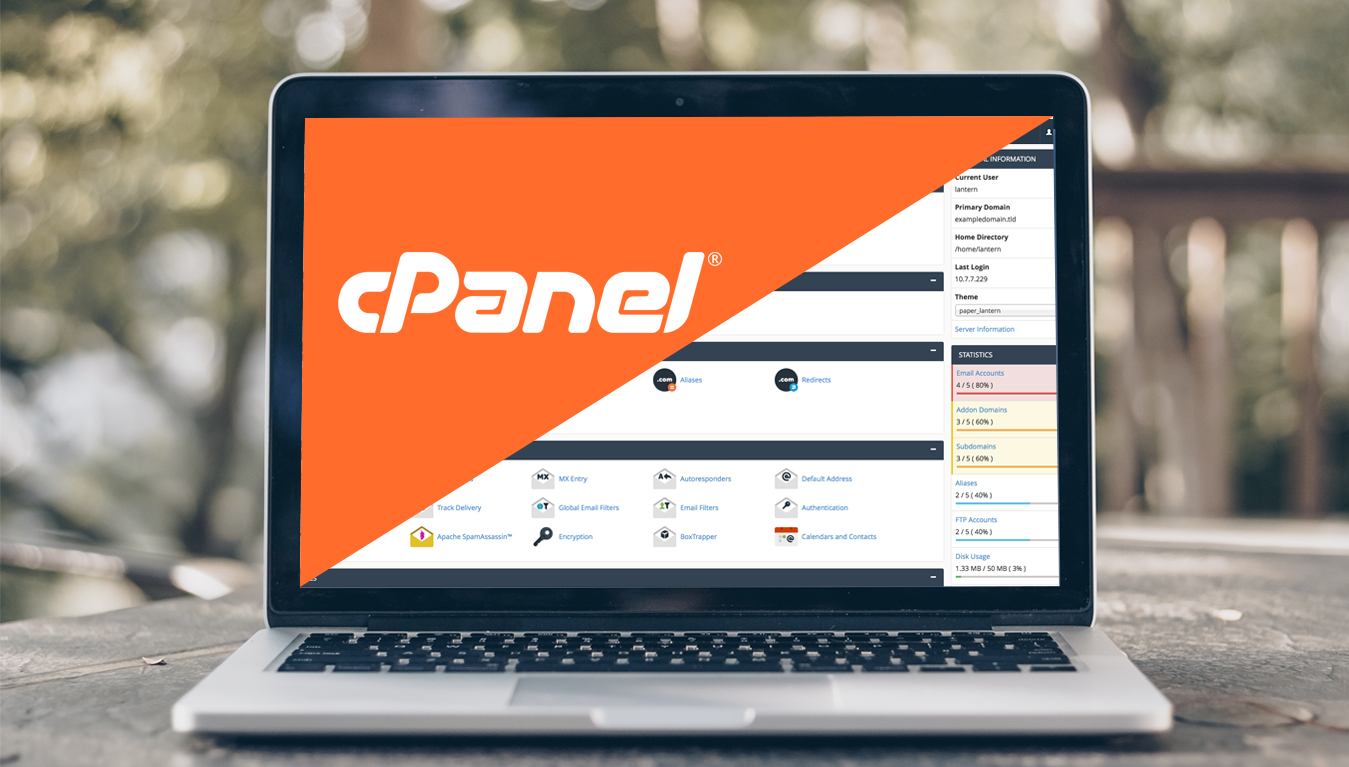
In short cPanel is a graphical interface (GUI) and automation tools designed to simplify the process of hosting a website and server management to the website owner or the “end user”.
While cPanel is limited to managing a single hosting account, cPanel & WHM allows the administration of the entire server.
cPanel’s automated and configurable dashboard enables just about anyone to effectively manage their websites and shared servers.
In this blog, we will highlight the use of cPanel, its features and benefits it provides to an end user.
Table of Contents
cPanel is most commonly used to manage the:
- Files
- Databases
- Email accounts
- FTP access on your site and much more
cPanel allows you to quickly set up a domain and engage in your website development. And access to the cPanel dashboard is provided by your web hosting provider.

Main advantages of using cPanel
cPanel is an excellent choice for beginners looking for a complete and intuitive control panel solution. Below mentioned are a few important features:
- User-friendly interface
- Ease of usage
- Software installation
- Reliable support
Let’s check each point in detail.
User-friendly interface
cPanel has an intuitive interface and divides various features under dedicated modules, allowing users to locate what they need easily.
cPanel makes it easy for users of all skill levels to easily move around the dashboard with minimal effort. cPanel dashboard comes with intuitive menus and sidebars for smooth navigation.
Ease of usage
Using cPanel to manage your website doesn’t need advanced technical knowledge. cPanel lets users perform complicated tasks such as these in ease:
- Creating subdomains
- Managing files
- MySQL databases
- Generating site backups

Software installation
Not only does cPanel provide numerous features, but it is also well-integrated with the Softaculous Apps Installer.
The installer grants access to several applications, including popular content management systems like:
- WordPress
- Drupal
- Magento
- Joomla
Softaculous takes care of each application’s lifecycle, from installation to updates. Let’s talk about Softaculous in a separate blog.
Reliable support
There are various cPanel forums and blogs on the internet that can guide you with a step-by-step process of different tasks and troubleshooting. There are even dedicated technical manuals for cPanel available on the internet. You can also use the below forum if you face with any issue.
What does cPanel help you do?
cPanel lets you perform a number of important functions like:
Installation of software’s
cPanel allows users to create websites using a variety of content management systems (CMS), including WordPress, Drupal, Magento, and Joomla.
Users can quickly build and monitor their websites from the ground up with just a few clicks in cPanel.
Managing FTP accounts
You can easily back up and transfer web files with the help of the cPanel interface. The ‘Files’ section of cPanel contains features for direct file management. From this section, you can:
- Upload files without an FTP client
- Specify privacy levels
- Set up a backup of your website
You can even use ‘File Manager’ to assist with desktop file explorer applications like edit, remove, or add files and folders.

Managing domain and sub-domains
cPanel allows site owners to:
- Manage their domain network
- Create aliases
- Add or remove subdomains
- Manage DNS zones
- Redirect site visitors around their web properties
It’s a common practice for webmasters to use one hosting account for hosting multiple sites.
The domains section in cPanel comes in handy for all domain-related tasks, such as managing domain names, setting up add-on domains for newly purchased domain names, and creating parked domains.
Email accounts
With cPanel you get the ability to stay connected with the powerful email capabilities. You can launch new email accounts, create share and enjoy various levels of spam protection.
In cPanel, you’ll get to manage your email in the ‘Email’ section of the cPanel dashboard. You can also set up auto-responders and custom email accounts in the cPanel dashboard.
Creating and managing new databases
Your website needs a database to store all the website-related content, including usernames, passwords, blogs, etc. cPanel allows you to create new databases and manage users.
cPanel provides users with the power to design custom databases using MySQL Wizard, phpMyAdmin, and various other tools.
Security

The security module of cPanel helps you monitor the main security settings on your hosting account.
cPanel offers multiple features to optimize your site security, including SSH Access to connect to your server via SSH and SSL/TLS to enable SSL certificates for extra security.
Through cPanel, you can also allow specific sites to use your files. To do so, you must list them in the URLs list to allow access.
Conclusion:
In this article, we have given a brief overview of what cPanel is and how it can be used and manage your website.
cPanel is one of the most popular Linux-based web hosting control panels, featuring a range of modules including:
- File management
- Databases
- Software installations
- Domains
- Security
The user-friendliness and intuitive interface make cPanel a leading choice for webmasters.
Checkout our older posts too
https://joomlawebhosting.in/tutorial/hello-world/