
401 Unauthorized error ~ In the vast world of the internet, encountering errors while browsing or using web applications is almost inevitable. One such common error is the 401 Unauthorized error. This error can be frustrating for users and developers alike, but understanding its causes and solutions can help mitigate its impact. In this blog post, we’ll delve into the 401 Unauthorized error, exploring what it is, why it occurs, and how to address and prevent it.
Table of Contents
What is a 401 Unauthorized Error?
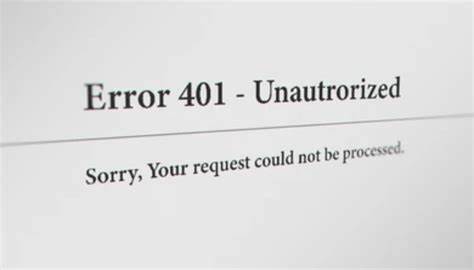
A 401 Unauthorized error is an HTTP status code that indicates that the request sent by the client (e.g., your web browser) was not completed because it lacks valid authentication credentials. In simpler terms, the server is saying, “You need to log in with the correct credentials to access this resource.”
This error is distinct from other common errors such as the 403 Forbidden error, which indicates that the server understands the request but refuses to authorize it, even if proper authentication is provided.
Common Causes of a 401 Unauthorized Error
Understanding why a 401 Unauthorized error occurs is the first step towards resolving it. Here are some common causes:
- Incorrect URL: Sometimes, the error may occur simply because the URL being accessed requires authentication, and the user is trying to access it without the necessary credentials.
- Invalid Credentials: The most straightforward cause is that the username or password provided is incorrect. This could be due to a typographical error or using outdated credentials.
- Missing Authentication Header: If the client request does not include the necessary authentication headers, the server will respond with a 401 error. This is common in APIs where the client must send a token or API key.
- Session Expired: In many web applications, user sessions expire after a certain period of inactivity. If a session token expires, subsequent requests will result in a 401 error until the user re-authenticates.
- Server Configuration Issues: Misconfigurations on the server, such as incorrect settings in authentication plugins or modules, can also lead to a 401 Unauthorized error.
- Permissions Changes: If permissions are changed on the server (e.g., an admin revokes access to certain resources), users may suddenly encounter 401 errors when trying to access those resources.
How to Fix a 401 Unauthorized Error
Addressing a 401 Unauthorized error involves different strategies depending on the underlying cause. Here are some steps to troubleshoot and resolve this error:
- Check Credentials: Firstly, ensure the username, password, or other authentication credentials are correct.
- Session Logs: Examine server or application logs to identify if sessions are expiring sooner than expected or if there are other related anomalies.
- Server Configuration: Review server settings and configuration to ensure authentication processes are set up correctly.
- Test with Multiple Accounts: Sometimes, the issue can be account-specific. Testing with different user accounts can help narrow down the problem.
Preventing 401 Unauthorized Errors
Preventing 401 Unauthorized errors involves implementing best practices for authentication and authorization. Here are some strategies:
- Clear Authentication Protocols: Ensure that the authentication protocols are clear and users are aware of how and when to provide credentials.
- Regularly Update and Test Configuration: Periodically review and test server configurations to avoid misconfigurations.
- Session Management: Implement a robust session management system, with clear expiration times and renewal processes.
- Educate Users: Ensure that users are aware of how sessions work, when they might expire, and how to renew or re-authenticate when necessary.
Conclusion
Encountering a 401 Unauthorized error can be a frustrating experience, but understanding its causes and solutions can help both users and developers resolve it quickly. Whether it’s verifying credentials, checking server configurations, or implementing robust authentication mechanisms, addressing the root causes of 401 errors can improve the user experience and security of your web applications.
By following best practices for authentication and authorization, you can minimize the occurrence of 401 errors and ensure that your users have seamless access to the resources they need. Remember, a secure and user-friendly application not only prevents errors but also builds trust and reliability with your users.